
SAML 2.0
The following steps are demonstrated using Okta. Similar steps can be taken with other identity providers that support SAML 2.0.
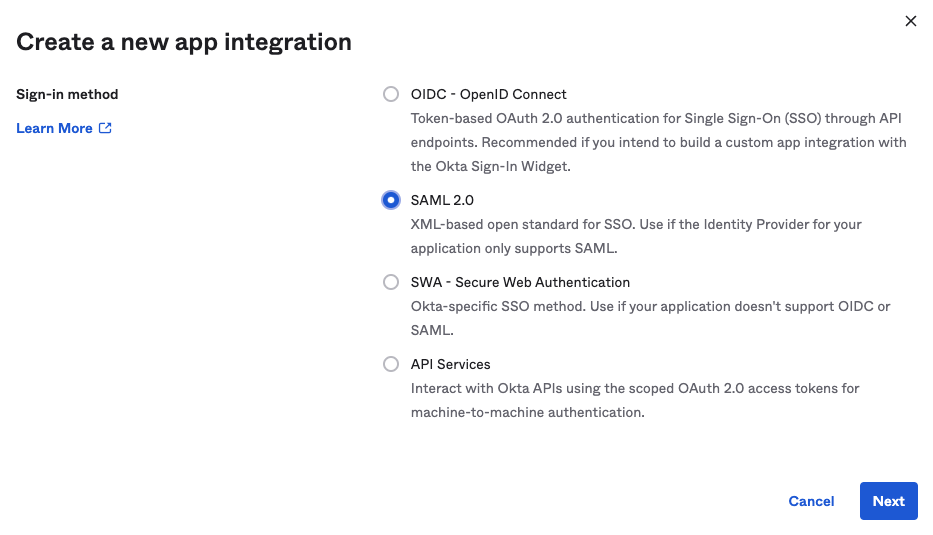
- Create app integration
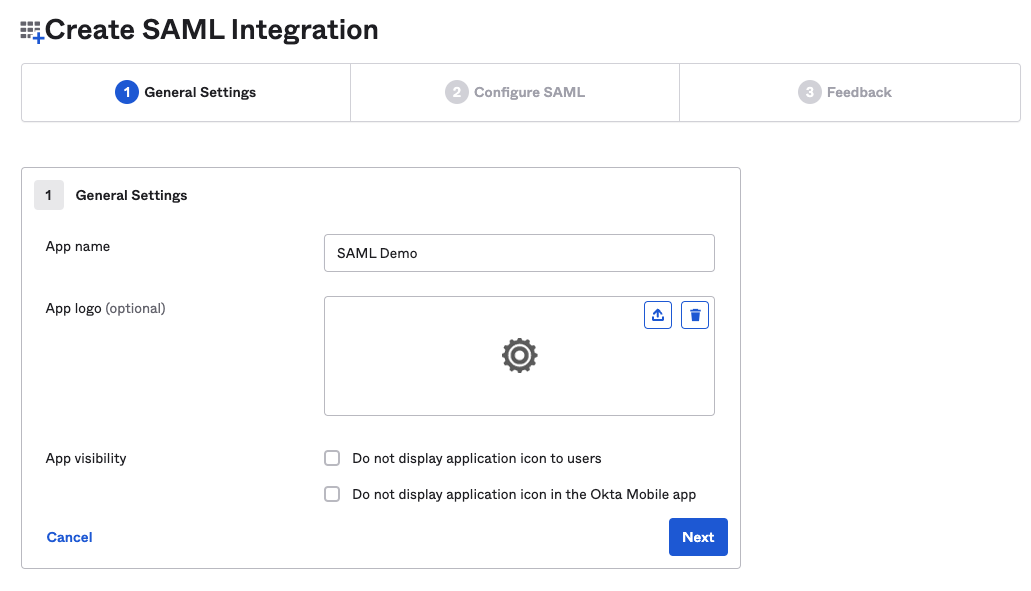
- Name it something relevant, i.e.
Secberus
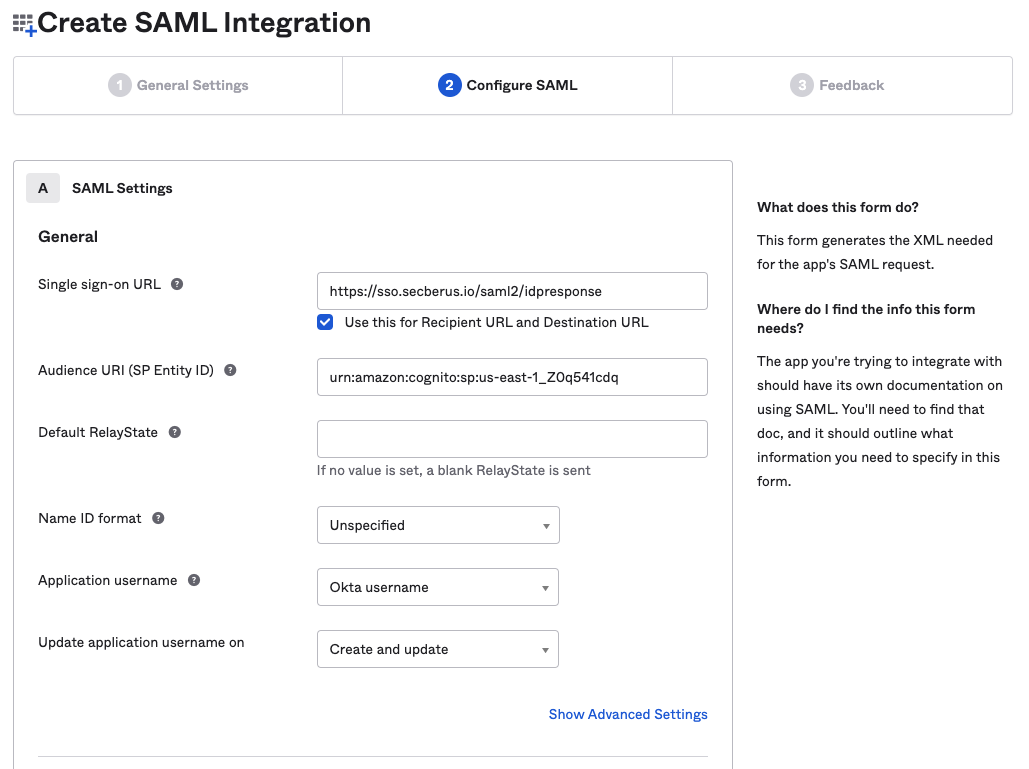
- Configure URL’s and Audience URI
- Single Sign-on URL:
https://sso.secberus.io/saml2/idpresponse - Recipient URL:
https://sso.secberus.io/saml2/idpresponse - Destination URL:
https://sso.secberus.io/saml2/idpresponse - Audience Restriction:
urn:amazon:cognito:sp:us-east-1_Z0q541cdq
- Single Sign-on URL:
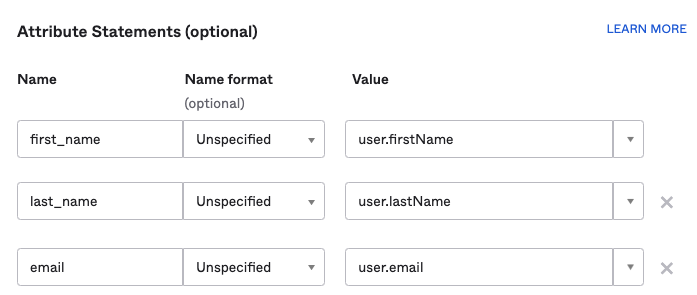
- Configure required attributes.
- First Name
- Last Name
Note, the following are just examples of preferred attribute statement name to value mappings. Secberus will need to know the exact names use in your mappings to configure things properly for authentication.
- In the Secberus dashboard, when adding your SSO provider in the Manage account admin panel > Authentication screen. Provide the following required fields and click Save.
- Provider name, i.e.
okta - Domain - users who sign-in to
app.secberus.iowith the provided domain will be redirected to your SSO provider - Provider Type:
SAML 2.0 - Metadata URL: i.e.
https://<your-instance>.okta.com/app/<appNumber>/sso/saml/metadata - Attribute mappings: The configured attributes in step 4. In that example those would be:
- First Name:
first_name - Last Name:
last_name - Email:
email
- First Name:
- Provider name, i.e.
Your Okta SAML 2.0 integration is now complete.
Updated 8 months ago
Did this page help you?